Beginner’s Guide to HDR
Well, you’ve done cheap Macro photos in the last post, so it’s time to try this madfangled HDR thingy you’ve seen everyone doing.
HDR (High Dynamic Range photography) is taking a photo at low, medium and high exposure and blending them together to get the best results. You know how when you get a decent holiday sunset photo and the beach is just a black smear under the gorgeous sky, or you see all the details of the sands with a white sky? That’s what HDR kicks to the kerb. Check out this slightly exaggerated example to see what I mean.

HDR tries to get around the limitations of traditional photography to present images in the same way as the eye sees them. When you look at a sunset, you see the sky and the beach equally as clearly.
You can see the HDR photos on my Flickr page. As you can see, the more I do them, the less outrageous they become.
What you’ll need is a camera that does bracketing (more about this in a minute), a computer and some HDR software. We know you’ve got a computer as this isn’t a dead-tree edition so we’ll get on with the software.
Software
This is dead easy as you have two options and they’re the same on both Mac and Windows PC:
- Photomatix
- Adobe Photoshop and the Photomatix plug-in
Yes, there does indeed seem to be a pattern there. So, go get the demo of Photomatix and get your camera ready.
Camera Settings
Bracketing is the art of taking a photo and having the camera then take a darker one and a lighter one just to make sure you get the right levels of light. I won’t go into too much detail on how to do this as every camera handles it differently so open your manual and look for bracketing in the index. It’ll be there, even on lesser cameras. Oh, if you have ever read any other articles on HDR, they all stress the importance of having a good tripod, but if you don’t have a tripod, don’t worry as this tutorial is to get you past the hurdle of taking your first HDR photo to see if you like it. We’ll not be spending any money on this technique until you’re happy it’s worth buying the software and getting a decent tripod.
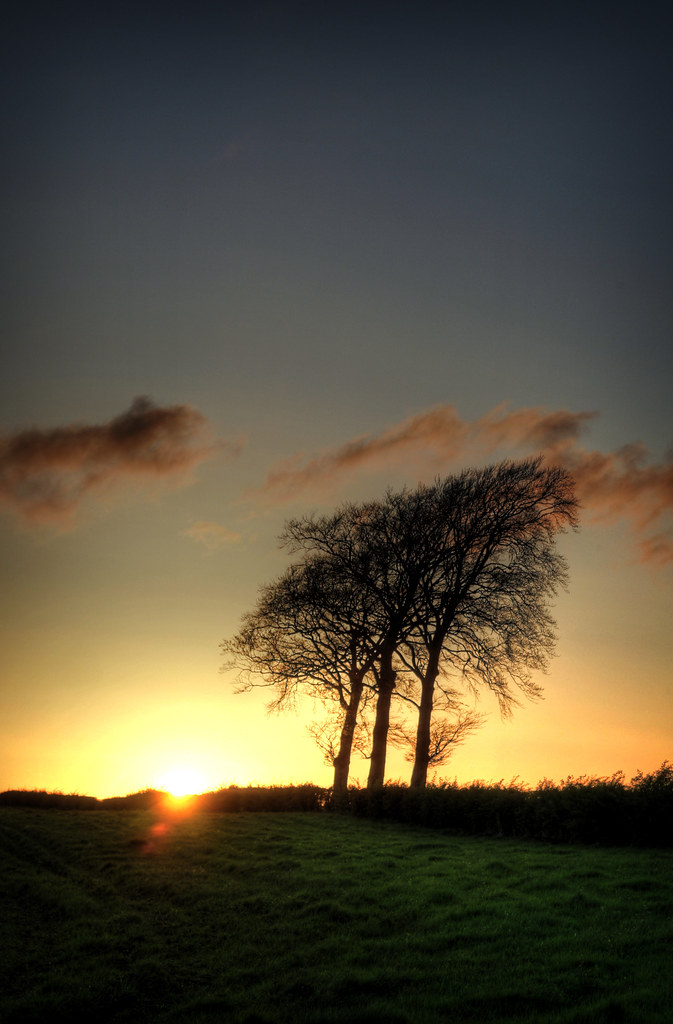
Before you get too bored of all this dry text, here’s the picture I’ll be showing you how to produce:

Taking your first photos
Sunsets, skies and the like. This is what you should learn on. Getting a triptych of a decent sunset or two or should set you in good stead to discover the software, or if you want to take daytime shots, a decent half-cloudy sky should provide all the contrasty goodness you need.

I took three photos, without a tripod, at +2ev, 0ev and -2ev, which is posh-speak for dark, normal and light. You’ve looked up how to do bracketing on your camera by now, right?
See how on the left, you can see amazing cloud patterns in the sky but they’re above an inky blackness, and how on the right, the clearly pictured trees are sitting beneath a flat white sky? Normally, those would get stickers stuck on them by Boots the Chemist for being craply taken, but, in conjunction with the well-exposed middle photo, they are precisely what we want.
Before I forget, you need to be shooting all three shots with the same aperture settings. Look up “Aperture Priority” in your camera manual. Remember lower numbers (like f2.8) allow quicker shutter speeds but only have a short range of focus (depth of field) whereas higher numbers (f22, for instance) allow much more to remain in focus, but require more light or slower shutter speeds. If light allows it, go for higher aperture numbers, especially if you are using a tripod.
Photomatix
Load up the demo version of Photomatix and click on the Generate HDR Image button and select your three photos like so and click OK.

This will give you the settings as follows. The image alignment feature can make up for our spack-handedness not using a tripod. Click OK and wait for the progress bar to do its thing.

Just click through the next screen by clicking Tone Mapping.

On the next screen, you’ll get loads of options. If the photo looks too weird, click Default and start again. Settings can be saved and loaded.

Play with the settings until you get something that looks good. There are no hard and fast rules, but here’s one setting I find makes a huge difference in picking out detail: the Microcontrast slider.

Once you’re done, you may want to save your settings. However, you will want to press Process (cropped off the bottom of these grabs, I’m afraid) and watch the progress bar march relentlessly from left to right.
Save your picture and post it on the internet somewhere for all to see. Don’t forget, when you look back at your earlier HDR attempts, you may well cringe at how overdone they look. Don’t worry about that just yet. Play with the sliders to your heart’s content and get the outrageous manipulations out of your system.
Here are some examples of my HDR photos:
Please take the time to comment.
Update: Photos now linked to Flickr. Go comment on them there.
Tags: hdr


June 17th, 2008 at 9:50 am
Oooh. I’ve been wondering about this. Next time I take my Rebel out, I’m going bracketing!
June 17th, 2008 at 10:06 am
Nice tutorial Jared…… That HDR with the boats is awesome!
June 17th, 2008 at 11:28 am
[...] mate Jared has posted a most excellent tutorial on High Dynamic Range (HDR) photography. I haven’t tried this yet but I definitely will the next time I’m out with my camera - [...]
June 17th, 2008 at 2:24 pm
[...] Read More… [...]
June 17th, 2008 at 2:52 pm
There is a free program called Picturenaut if anyone wants to dip their toes in the water: http://www.hdrlabs.com/picturenaut/
By the way, your blog concerning munchy boxes caused me to soil my underwear and I will be seeking compensation.
June 17th, 2008 at 9:21 pm
Ooooo, i was wondering how people made those fotos. Wonder if my camera can do that? Wonder if I can find my camera manual…
June 17th, 2008 at 9:59 pm
Oh, before I forget, please Digg this story here:
http://digg.com/arts_culture/Beginner_s_Guide_to_HDR
June 17th, 2008 at 10:26 pm
I had no qualms in digging this guide.
June 18th, 2008 at 12:11 am
Thanks for sharing, now I know how to impress others :0
June 18th, 2008 at 1:55 am
I sandwich slides (with different levels of focus) to get a dreamy effect. This looks like something else fun to play with. Thanks
June 18th, 2008 at 2:20 pm
Hi,
is there a plugin or tool for the gimp? Photoshop is great peace of software, put much to expensive for me.
//Arne
June 18th, 2008 at 2:55 pm
Arne,
Photomatix doesn’t need Photoshop to do this. What you can do is run the demo of Photomatix on its own and then open the result in The Gimp.
ps. The Gimp sucks. No, really, it does. It’s a worthy and valiant attempt, but … yeah, it sucks. Friends don’t let friends use sucky software.
June 19th, 2008 at 4:03 pm
Even simpler HDR…, if your camera supports RAW, shoot one picture. Then use the Photomatrix plugin in tatty shop on your 16bit image (though it is more likely that unless you have a REALLY expensive camera, you’ll actually have a 12-14 bit image, but I digress). You’ll be amazed at how little difference it makes from the 3 photo approach, and means that you don’t have to shoot with a tripod… win-win!
June 19th, 2008 at 5:00 pm
RAW isn’t proper HDR per se. RAW will allow you to tone-map images, but at that point, you can convert a single JPEG to a 16-bit TIFF and tone-map it too.
For instance, this was a single JPEG:
June 19th, 2008 at 11:07 pm
[...] http://blog.23x.net/7/beginners-guide-to-hdr.html [...]
June 20th, 2008 at 6:08 pm
Welcome b3tards. I hope you like my pictures.
June 20th, 2008 at 6:23 pm
Am I right in thinking that the first of the big examples is Bowling Basin on the Clyde, at the end of the Forth and Clyde canal?
June 20th, 2008 at 6:55 pm
This is a pretty lazy way of acheiving something using a tatty piece of software that you’d be better off learning to do the correct way in the long run…
June 20th, 2008 at 7:01 pm
Great guide. If you’re a cheaparse like me and only have a standard Canon point and shoot (most of the Ixus range for example) then you can still get in on the action.
Some bright sparks have rewritten the firmware to access a bunch of hidden features, including raw shooting and bracketing! Let joy be unconfined. There’s more info and the download at:
http://chdk.wikia.com/wiki/CHDK_in_Brief
June 20th, 2008 at 7:21 pm
Could anyone recommend a good (camera) to do this with?
June 20th, 2008 at 8:10 pm
This is top. I’ve dabbled in HDR before and I’ve told admirers of my photos that it isn’t hard. You’ve just showed them it isn’t; better than I could.
Demystifying is cool.
June 20th, 2008 at 8:26 pm
Wow, this is an EXCELLENT tutorial. I thought the muchy box one prior to this was informative and well-written, but this one is WONDERFUL. I have tried to read tutorials regarding this type of photography but I was always left feeling confused. I will be back to read any topic you choose to discuss here.
June 20th, 2008 at 8:27 pm
Of course I meant “munchy box.”
June 20th, 2008 at 9:43 pm
You can get similar results with any image, though its never going to be as good as a proper bracketed image.
Just create 3 images in photoshop using the exposure setting to create one image -2 and one +2 exposure then build it into a hdr using either photoshop or photomatix.
June 20th, 2008 at 9:44 pm
I find as well if you edit your photo on IPHOTO on the mac and change the exposure manually you only need to take one photo. Duplicate the photo, change one to high exposure, and one to low exposure, leaving the original as it. Just in case you camera doesnt have this feature. Nice easy-to-use and understand blog though, thanks.
June 20th, 2008 at 9:49 pm
Thanks for this - I must do more HDR work. For Linux users (and skinflint PC / Mac users) there’s an open source HDR application: Qtpsfgui (http://qtpfsgui.sourceforge.net/) that can save in various common HDR formats.
June 20th, 2008 at 9:54 pm
lol Rory just beat you to it there:)
Another nice trick is to flatten your final image, duplicate it then set the top layer to soft light and fine tune with the layer opacity.
It works in a similar way making darks darker and lights lighter and deepening teh contrast of your colours.
June 20th, 2008 at 10:01 pm
@Ian
Yes, this is from Bowling Basin on the Clyde.
@John Smith’s Bitter
Um, wtf? I’d love to know what the ‘correct way’ of doing this is. Let’s face it, you’re not going to get this in the lens without special filters and managed lighting. If you’re doing it off the camera, the moment you take it off the memory card, all bets are off; from that moment on, there is no ‘correct way’. If you have any tutorials that show us how to do this the correct way (remembering this is for beginners) then I’d love to be enlightened.
@All those faking it with one image, what’s wrong with just converting the JPEG into a 16-bit TIFF in Potatoshop?
June 20th, 2008 at 11:15 pm
Thanks!
That’s a great article, and smashing photos.
June 20th, 2008 at 11:35 pm
I love clouds. I have billions of pics of them as I walk my dogs at sunset and sunrise most days and always carry a camera. But now I can have that bit under them as well in the shot, the ground! Hoopy Doo, I’m going to have fun slapping the pictures about until they look as good as yours. Fantastic. Just the carrot I needed to get me up in the morning to trapes about deserted fields in the wet yet again.
June 20th, 2008 at 11:45 pm
A mate recently put me onto HDR and photomatix. He’s a PC guy. I’m a mac. But there is a hidden gem in the (PC-only) software to get rid of the demo’s watermarks. Tone map your image - and once your happy save the settings. Then flick into the ‘batch processing’ option - select images, and saved settings, and viola, no watermarks…and out of pocket developers. Catch it while i lasts.
June 21st, 2008 at 9:20 am
@Jared Earle
“@All those faking it with one image, what’s wrong with just converting the JPEG into a 16-bit TIFF in Potatoshop?”
Nothing I guess, don’t know enough to be able to tell you otherwise, as you said there is no correct way. I’ll have to give it a try though so cheers for that.
June 21st, 2008 at 4:27 pm
I will try this technic tomorrow! Many thanks for this tutorial.
June 22nd, 2008 at 12:16 am
This is very cool. I shall have a look in the Missus’s camera manual and see what it can do. It’s a pretty decent camera, so it should have it. Here goes nothing!
June 23rd, 2008 at 8:30 pm
This is great fun.
Anyone know what John Smith’s Bitter was on about, or is he just a random loon?
June 23rd, 2008 at 9:33 pm
@AlecMac,
No idea what he was on about. I think he was just a drive-by troll.
June 24th, 2008 at 8:27 am
I really liked the ‘boats’ - one of the best HDR photos I’ve seen! I’ve dabbled in HDR myself [using Photmatix-basic] but was never happy with my un-realistic results.
Maybe I should have kept on trying??
Cheers
John
June 24th, 2008 at 8:40 am
[...] http://blog.23x.net/7/beginners-guide-to-hdr.html [...]
June 24th, 2008 at 11:20 am
@shh.. don’t tell the developers
thanks for that! just tried it, it worked a treat! watermark free images. excellent.
June 24th, 2008 at 3:48 pm
Sh… don’t tell the developers - Thank you soooo much!!! I’ve been going crazy downloading other programs to get around the stupid watermarking, and nothing works right. Thank you!!!!
June 24th, 2008 at 11:15 pm
I’m a software developer on an very small income … I’ve worked for 15 years on projects just like this one, projects designed to make sure that these little computer programs are all easier for people like you to understand….
June 26th, 2008 at 1:09 am
[...] to Photography info@almostaphotographer.com Sites you may be interested in Beginner’s Guide to HDR | The 23x blog Tags digital photography photography tip stock photography digital camera photography camera [...]
June 26th, 2008 at 4:35 pm
One piece of information I forgot to mention is that you should ideally be shooting in Aperture Priority mode. I’ve edited the article accordingly.
June 26th, 2008 at 11:52 pm
So pretty… *sigh*
Going to have to dig out my camera manual now, but it’ll be great to give my tripod some use.
June 28th, 2008 at 3:52 am
[…]Good site I “Stumbledupon” it today and gave it a stumble for you.. looking forward to seeing what else you have..later[…]
June 28th, 2008 at 12:59 pm
[...] High Dynamic Range Photography: http://www.point101.com/news/high-dynamic-range-photography-20.html http://blog.23x.net/7/beginners-guide-to-hdr.html http://techbutter.com/2008/06/02/high-dynamic-range-hdr-photography/ Share and Enjoy: These icons [...]
June 30th, 2008 at 8:16 pm
Surely shooting one image in RAW and then creating three copies at -2, 0 and +2 EV in software and using them is the same as taking 3 JPGs with different EV values at shoot time?
I just don’t understand how that be classed as “cheating” at HDR, as the whole point of shooting in RAW is that you can change EV value and WB later.
June 30th, 2008 at 8:29 pm
Shooting at +/-2EV isn’t the same as setting the exposure in RAW: Your camera simply doesn’t have 4EV stops of dynamic range in the sensor.
If in doubt, try it. You’ll see that you cannot create depth and detail where there is none.
July 14th, 2008 at 1:18 am
[...] http://blog.23x.net/7/beginners-guide-to-hdr.html [...]
July 21st, 2008 at 4:06 pm
@All those faking it with one image, what’s wrong with just converting the JPEG into a 16-bit TIFF in Potatoshop?
Well, nothing, but it doesn’t gain you anything.
Think of the histograms. Let’s say normal processing is a 12-bit sensor saved as RAW format and converted to 16-bit (TIFF) for photoshopping around. This corresponds to a contrast-range in the source scene - sky 6 stops brighter than ground, for example. When you do HDR, you build a 32-bit image with greater range and greater detail - more information in shadows and highlights and smoother throughout. If you were to convert a pure HDR image straight to a JPEG, you’d simply think it looked very low-contrast.
If you take an 8-bit JPEG and apply a gamma curve to darken it 1 stop, all that happens is the lower part of the histogram (midtone and darker) get compressed and the higher part expands - so you lose detail. By doing that twice your 32-bit image has merely gained errors in tone-placement - you don’t gain image-data, merely the illusion of it which might look favourable if you’re lucky.
Tonemapping is where you use some algorithm to simulate apparent increased contrast locally within an image - mostly spatially (adjacent pixels) with some consideration for the pixel values. This is where you have the option to make it look whizzy but disgusting, or exercise some restraint and strive for normality
ObExample: hdr panorama.
Cameras: what you want to avoid is any pixel changing value unnecessarily between exposures - so you need a still scene or very long exposure for motion-blur - and fix the aperture and focus distance and vary the speed only. You can get somewhere with a simple point-’n'-shoot and exposure compensation; a dSLR would be better so you’re shooting RAW in the first place and have a nice lower-noise sensor. There’s nothing to stop you doing it with film if you want, as long as you can control the scans to represent the different exposures.
Software: free alternatives include FDRTools and qtpfsgui.
August 9th, 2008 at 8:12 pm
[...] the poster so if you find this guide useful it would be worthwhile saving it to your computer. 6. The 23x Blog Another good tutorial, it has nothing new over the five previous ones but hey, it’s good to [...]
September 8th, 2008 at 12:55 am
So I was trying to do HDR and I started off doing it ‘wrong’, so I thought, hey, Jared has a tutorial on HRD. Sure enough, I was doing things wrong . . . So I read through your tutorial, and all becomes clear, especially your note about Aperture Priority . . .
However, my camera, a Digital Rebel EOS XTi, has a (at least in my view) peculiar bracketing function. As far as I can tell, I can bracket Blue/Amber, or Green/Magenta, but, I see no way to bracket both. In addition, fairly extensive web searches on the subject have turned up nothing useful that might tell me (1) if bracketing in bot axes is even possible, and, if not, which axis ought I to bracket.
Cheers, Henry